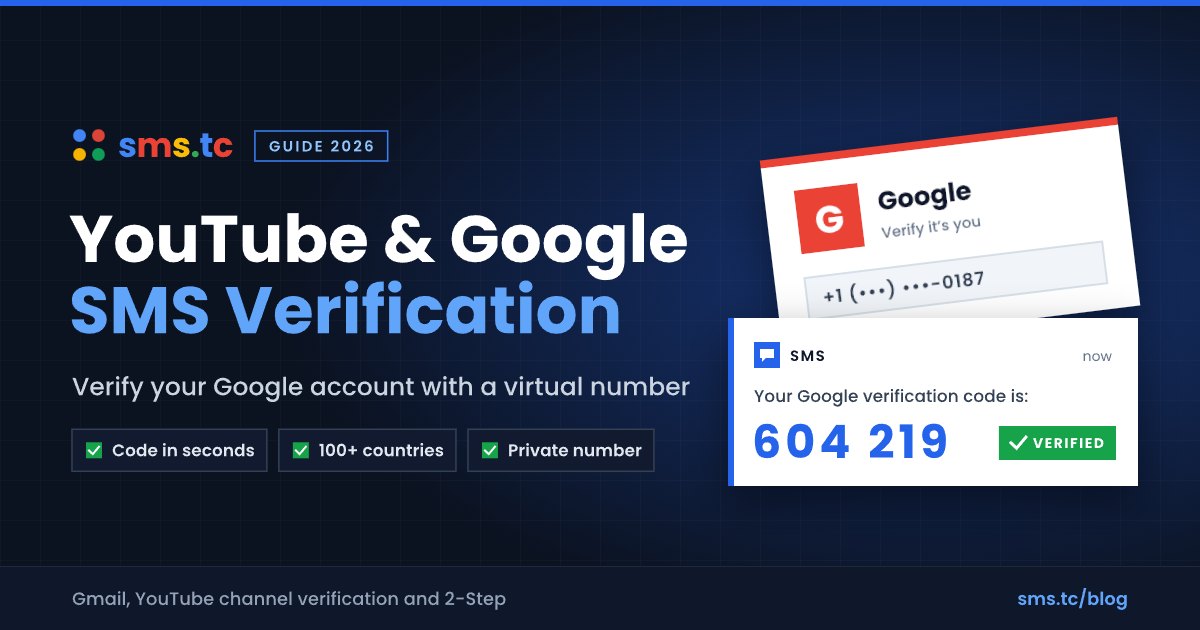
Quick answer: YouTube SMS verification is a code that Google sends by text message (or voice call) to confirm a phone number on your YouTube or Google account. YouTube requires it before it unlocks intermediate features such as longer videos and custom thumbnails, and Google may ask for it when you create an account. Google limits how many accounts and channels one number can verify, so if you see "This phone number cannot be used for verification", you need a different number - for example, a fresh virtual mobile number from sms.tc.
What Is YouTube SMS Verification?
YouTube SMS verification is Google's phone check for YouTube channels. Because YouTube runs on your Google Account, the code you receive is a Google verification code - usually 6 digits, sometimes shown with a "G-" prefix. Entering it proves that a real person with a working phone number controls the channel.
According to the YouTube Help Center, phone verification protects the community against abuse, and one phone number can be used to verify no more than two channels per year.
When Does YouTube or Google Ask for a Verification Code?
- Unlocking intermediate features - longer uploads, custom thumbnails, and live streaming eligibility (in YouTube Studio: Settings, Channel, Feature eligibility).
- Creating a new Google Account - Google may require a phone number, depending on its risk checks.
- 2-Step Verification - when you choose text message or voice call as a sign-in method.
- Account recovery after a forgotten password or suspicious activity.
Note: phone verification does not give you the grey "verified" checkmark next to a channel name. That badge is a separate program.
Which Phone Numbers Does Google Accept?
| Number type | Works for YouTube / Google? | Notes |
|---|---|---|
| Mobile number (carrier SIM) | Yes | Code by SMS or voice call |
| Landline | Voice call only | Choose the "call" option |
| Number already used on many accounts | No | "This phone number cannot be used for verification" |
| Free "receive SMS online" sites | Almost never | Shared numbers hit Google's limits quickly |
| sms.tc virtual mobile number | Yes, in most cases | Carrier-issued; SMS visible only to you |
The Google Account Help Center explains that the "cannot be used for verification" error appears when a number has been used too many times, and that the fix is to use a different number.
How to Get a YouTube Verification Code with a Virtual Number
- Create a free account at sms.tc and add a small balance.
- Open SMS Activation and search for Google (YouTube codes are sent by Google; the service may be listed as Google or YouTube).
- Pick a country. Live prices and stock appear next to each country.
- Click Buy Number to get a private virtual mobile number.
- In YouTube Studio or on the Google verification page, select your country, enter the number, and choose Text message.
- The Google code appears on your sms.tc order page, usually within 10-60 seconds.
- Enter the code on YouTube and submit. Intermediate features unlock right away.
If no code arrives, cancel the activation and buy a number from a different country. You are not charged when no SMS is received.
One-Time Number or Rental Number?
| One-time activation | Rental number | |
|---|---|---|
| Best for | Unlocking YouTube features once | Using the number for 2-Step Verification |
| Validity | About 20 minutes | Days to weeks, renewable |
| Future Google codes | Not guaranteed | Yes, while the rental is active |
| Price | From a few cents | Higher, billed per period |
YouTube feature verification is a one-time step, so a one-time activation is usually enough. Do not rely on a short-lived number for Google 2-Step Verification; use a rental number, your own phone, or an authenticator app with backup codes.
YouTube Verification Code Not Received? 7 Fixes
- "This phone number cannot be used for verification" - the number reached Google's limit. Use a different, fresh number.
- Request a new code and try the voice call option if the text does not arrive.
- Check the country selector - the number must match the selected country code.
- Wait a few minutes - Google texts can be delayed, but repeated requests can trigger a temporary block.
- Check carrier support - Google notes that some carriers do not deliver its texts.
- Clear the session - sign out, use a private window, and start the verification again.
- Switch countries - with a virtual number, cancel and buy one from another country.
Use Virtual Numbers Responsibly
Google limits verifications per number to prevent spam and fake accounts, and YouTube's Terms of Service and Community Guidelines prohibit spam, impersonation, and creating channels to get around a suspension. Use a virtual number to protect your privacy on your own channel, not to mass-create accounts or evade enforcement.
Related reading: what SMS verification is and why free "receive SMS online" numbers fail.
Frequently Asked Questions
Can I verify YouTube with a virtual phone number?
Yes. YouTube accepts carrier-issued mobile numbers, and sms.tc virtual numbers are mobile numbers rather than VoIP lines, so YouTube SMS verification works with them in most cases.
Why does Google say "This phone number cannot be used for verification"?
Google shows "This phone number cannot be used for verification" when a number has been used for too many accounts. The only fix Google offers is to verify with a different phone number.
How many YouTube channels can one phone number verify?
YouTube allows one phone number to verify no more than two channels per year, according to the YouTube Help Center.
Does YouTube phone verification give me a verified badge?
No. YouTube phone verification unlocks intermediate features such as longer videos and custom thumbnails; the verified checkmark is a separate YouTube program.
Can I get the YouTube code by voice call instead of SMS?
Yes. Google offers a voice call option for YouTube verification, which also works with landlines. Virtual numbers on sms.tc are designed for text messages, so choose the SMS option there.
Should I use a virtual number for Google 2-Step Verification?
A one-time virtual number is not suitable for Google 2-Step Verification because the number expires after about 20 minutes. Use a rental number, your own phone, or an authenticator app instead.
Key Takeaways
- YouTube SMS verification is a Google code that unlocks intermediate YouTube features.
- Google limits each number: no more than two channels per year, and overused numbers are rejected.
- A fresh sms.tc virtual number usually receives the Google code within a minute.
- Use a rental number or authenticator app for 2-Step Verification.
Get a Google/YouTube number on sms.tc - sign up free and verify in minutes.